

Multi-Platform Content: A Strategy for Online Stores

Multi-platform content means turning one idea or product into posts shaped for each network, then publishing them on a steady schedule. For a store owner the best method is to create once from your product data, adapt each version to its platform, and let software handle scheduling and posting. That keeps you on every channel that matters without a marketing team. Xyla does exactly this for Shopify, WooCommerce and Etsy stores: it turns product listings into reels, videos and carousels and posts them to Instagram, TikTok, Facebook and more.
TL;DR
- Don’t paste identical posts everywhere. Shopify’s own guidance is to coordinate content across channels so each one tells a different part of the story.
- Start with one or two platforms where your customers already are, then add more once the routine holds.
- Build content around 3 to 5 themes (pillars), so every post has a job.
- Adapt format, length, caption and timing for each network, and track each one separately with UTM links.
- Automate the repetitive parts: formatting, scheduling and publishing. That is where the hours go.
Table of Contents
- What multi-platform content actually means for a store
- Same post everywhere, or a version for each platform?
- Choose your platforms before you create anything
- Build content around pillars, not around posts
- A weekly routine that holds up
- Adapt and stagger: the workflow
- Measure each platform separately
- Where the hours go, and how to get them back
- Putting it to work with Xyla
- Our perspective
- FAQ
- Sources
What multi-platform content actually means for a store
There are three different things people call by this name, and mixing them up is why many stores burn out.
Cross-posting is publishing the same asset on several networks, for example a Reel that also goes to TikTok. Shopify’s cross-posting guide presents it as a way to save time while growing your presence.
Multichannel means being on several channels, often run separately. Mailchimp describes this as, for instance, one team handling email and another handling social with no coordination.
Omnichannel means the messaging, visuals and goals line up everywhere, while each piece is still tuned to where it appears. Mailchimp names three principles: consistency of voice, context for each touchpoint, and focus on the customer.
For a small store, the practical target is the omnichannel version: one brand, one set of product stories, several tailored outputs. If you want a deeper look at how channels fit together into one customer experience, this piece on omnichannel marketing and unified customer experience is a good companion.
Same post everywhere, or a version for each platform?
The tempting shortcut is identical posts on every network. Shopify’s Help Center says plainly that because customers may meet your content on more than one channel, you shouldn’t put the same content everywhere. It suggests coordinating content to tell different parts of a story, and says you don’t need to be on every channel: build a strategy you can sustain on the channels where your customers are most likely to be.
That does not mean starting from scratch each time. Keep the core, change the wrapper:
Element Keep the same Adapt per platform Product and offer Yes Which angle leads (price, look, use case) Brand voice Yes Level of casualness and length Visual style Mostly Crop, aspect ratio, text placement, pacing Caption Core message Length, hashtags, call to action Link Destination Tagged URL for each network Timing No When your audience on that network is activeFormat is the part that costs the most time by hand. A vertical video cropped badly for another network, or a square image with text sitting where the app’s buttons cover it, looks careless. Our social media image and video sizes guide lists the dimensions and safe zones so you can check any asset before it goes out.
Choose your platforms before you create anything
The fastest way to fail at multi-platform content is to open six accounts in one week. DHL’s social media guide for e-commerce gives four factors for picking channels: your audience (checked in your own analytics, not assumed), the formats you can realistically produce, your business goals, and the time and resources you have. It adds that one regularly updated account with an engaged community is worth more than five neglected profiles, and suggests starting with one or two channels and expanding as resources allow.
A workable way to apply that:
- Look at where your buyers already come from. Check store analytics for referral traffic and the audience mix in each social account you already have.
- Match the format to your product. If your product looks great in motion (fashion, home goods, handmade items), short video suits it. If it needs explaining, longer clips and carousels fit better.
- Pick two starting channels. Most stores pair one video-led network with one broad-reach network, such as Instagram with Facebook, or TikTok with Instagram.
- Set a review date. After a few weeks, compare results and decide whether to add a third.
With a product-based store, the product catalog is your biggest content asset. Every listing already has photos, a description and a price. A multi-platform plan should draw from that instead of asking you to invent ideas every morning.
Build content around pillars, not around posts
A content pillar is a recurring theme that every post connects back to. For a store, a set of three to five might look like this:
- Product in use: the item being worn, used or unboxed.
- Social proof: reviews, before-and-after shots, customer photos.
- Behind the scenes: how it is made or packed.
- Offers and seasons: launches, restocks, holiday and sale moments.
- Quick value: tips, quotes and fact cards that earn comments and saves.
Pillars solve the daily “what do I post?” problem. They also make repurposing natural: one pillar idea becomes a Reel, a carousel, a Pinterest-style image and a Facebook post, each framed for its platform. Evergreen ideas are especially useful because they stay relevant between launches. We collected six in evergreen social posts that work without daily posting, and our quote post strategy covers a format built for comments and saves.
For seasonal moments, plan early. Black Friday and holiday campaigns need offers fixed well ahead of time, and our Black Friday social media plan and seasonal campaign planning guide show how to lay out the weeks leading up to the date.
A weekly routine that holds up
Consistency beats intensity. This routine suits one person running a store:
Once a month: set the themes
Review which posts drew clicks and sales, choose the products and offers to feature, and map them to pillars. Keep some open slots for things you can’t predict, such as a trending sound or a sudden restock.
Once a week: approve and schedule
Look over the coming week’s posts, tweak captions where needed, and confirm that the products featured are in stock and the prices are right. This is the step where your judgment matters most.
Daily: a short check-in
Reply to comments and messages. Ten minutes of real conversation does more for an account than an extra post.
The repetitive part, resizing, rewriting for each network, queueing and publishing, is where the time disappears. If you want the logic behind taking that off your plate, our guide to automating social media marketing goes through it step by step, and the benefits of a social media scheduler explains why scheduled posting keeps a feed steady.
Adapt and stagger: the workflow
Once you have one strong asset, the sequence matters. Publishing the identical clip on every network at the same minute is exactly the over-saturation Shopify warns about for people who follow you in more than one place. The cross-posting guide advises using scheduling tools to publish at each platform’s best time and checking analytics to find cross-posted content that flopped on a given network before deciding whether to invest in a native version.
The pattern we recommend:
- Lead on the strongest network for that asset, usually the one where your video does best.
- Adapt for the second network with a new first line, a different crop if needed, and a caption in that network’s tone.
- Stagger by hours or days, not minutes, so followers on both don’t see the same thing back to back.
- Review what flopped. If an adapted post underperforms on one network, try a native version with a different hook before dropping the channel.
We lay out the full sequence in our multi-platform posting workflow. For a single network, Facebook auto posting shows what a hands-off setup looks like for a small shop, and the Twitter video strategy covers X for teams that want to add it.
Measure each platform separately
Posting without measuring is guessing. Shopify’s ecommerce content strategy guide notes that 71% of shoppers take steps to protect their privacy, such as blocking cookies or shopping in incognito windows, which makes cross-channel journeys harder to follow. Its recommendation is to tag links with UTM parameters (utm_source, utm_medium, utm_campaign and utm_term) and read the results in Google Analytics and Shopify Analytics conversion reports.
In practice:
- Give every post link its own tag so you know which network and which campaign sent the visit.
- Compare networks side by side. An average across all of them hides the one that is working.
- Judge content by clicks and orders, not only likes. A post with modest reach can still sell.
- Check whether the time you spend per asset is falling over the weeks. That is the sign your workflow is working.
For Shopify stores, our guide to tracking social sales post by post walks through the setup, and UTM-first social commerce analytics explains how tagging fits into the posting flow.
Where the hours go, and how to get them back
Doing multi-platform content by hand means, for every product: pick an image, write a caption, make a video, crop it for each network, write a variation, schedule it and keep track of what went where. Multiply that by the number of products and networks and a weekly routine turns into a second job.

The work breaks into two kinds. Creative decisions (what to promote, what your brand sounds like, which offers to run) belong to you. Mechanical work (building the asset from product data, fitting it to each network, queueing it, publishing it) is repeatable, which is why it can be automated. Our auto posting guide shows how store product updates become scheduled posts in five steps.
Putting it to work with Xyla
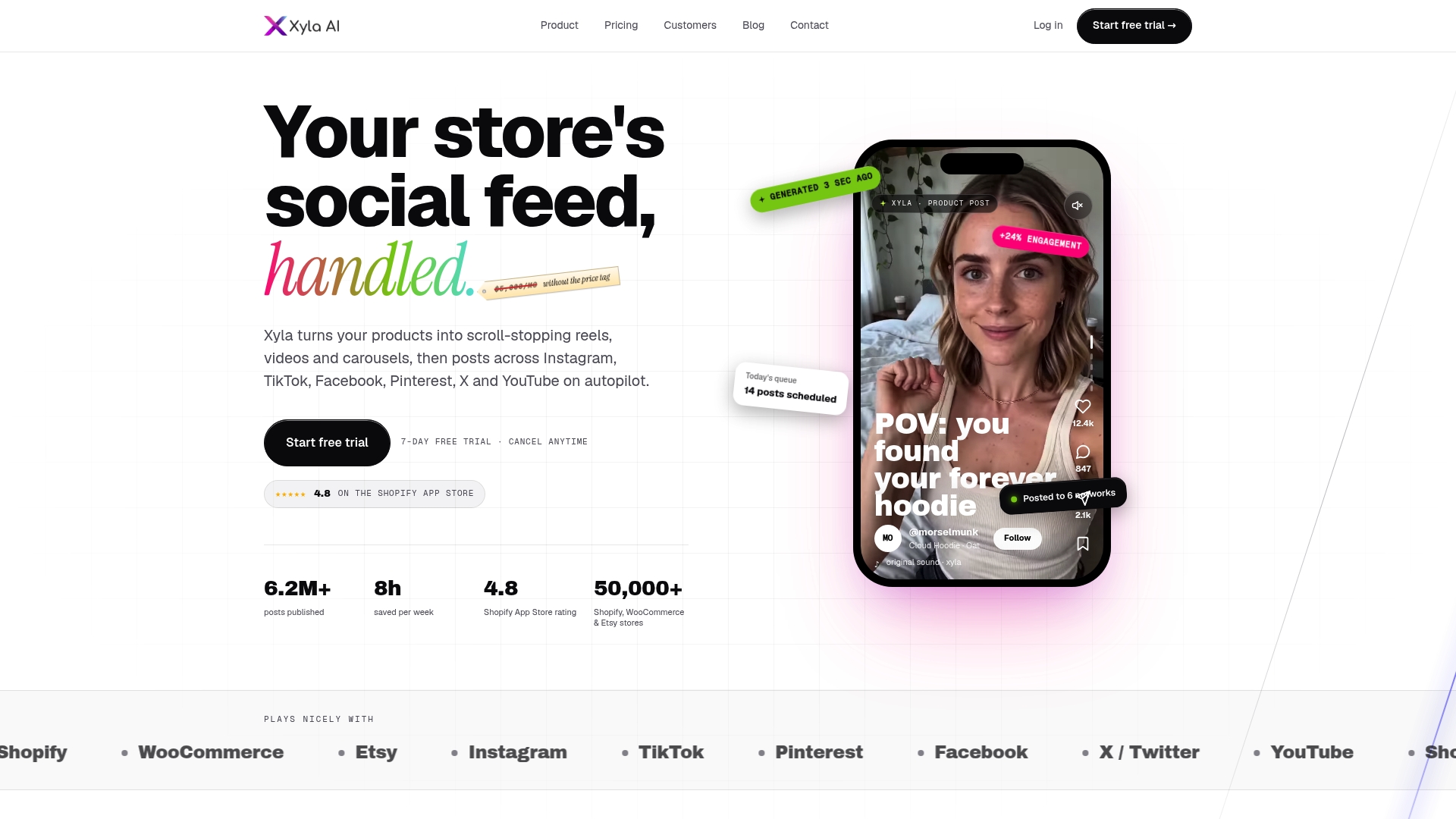
Xyla is an AI social media management tool built for stores on Shopify, WooCommerce and Etsy. It turns your product listings into visual content such as reels, videos, carousels, memes, quotes, fact cards and holiday posts, adapts each asset to the network it’s going to (Instagram, TikTok, Facebook, Pinterest, X and YouTube), generates brand-aligned copy, then schedules and auto-publishes. It also includes AI image and video generation from your product photos, and our aim is to save store owners around eight hours a week.
AI content generation is part of the standard plans rather than charged per generation. Plans start with Growth from $29 per month ($209 per year), with Pro at $39 per month and Enterprise at $60 per month, and there’s a free trial. Shopify stores can see their plans on the Shopify page, Etsy sellers on the Etsy page, and every tier is on the pricing page.
Our perspective
Most advice on multi-platform content comes from people who have a team. Store owners don’t, and the advice breaks at the first Monday morning: nobody has time to cut a vertical video, rewrite the caption three ways and remember which network gets what.
We built Xyla around a different starting point. Your catalog already holds what a social calendar needs: photos, descriptions, prices and the seasons you sell in. So the tool starts there, generates new modern, UGC-style video and image content from real product data instead of remixing templates, and manages the full calendar for you. Because it connects to the catalog deeply, it can also support e-commerce features such as Instagram Shopping tags and automated link-in-bio routing.
We also think content creation should not feel like a meter running. That is why AI generation is part of the standard plans instead of a per-generation credit system. You can post across networks consistently without watching a balance.
Our advice is simple: choose your pillars, pick your first two networks, and let the machinery of formatting and publishing run in the background while you spend your time on the product and the customers.
Toby
FAQ
How many social platforms should a small store be on?
Start with one or two. DHL’s e-commerce guidance recommends beginning with a small number of high-value channels and expanding when you have the resources. Add a third only when your routine for the first two runs without strain.
Can I post the exact same video on Instagram, TikTok and Facebook?
You can, and cross-posting is a legitimate way to save time. Shopify’s guidance, though, is to coordinate content rather than repeat it, so adjust the opening line, caption and timing for each network. Staggering publication also avoids showing the same post twice to people who follow you in several places.
How do I know which platform is working?
Tag every link with UTM parameters and compare each network’s clicks and orders in Google Analytics and Shopify Analytics. Look at the networks one by one rather than averaging them. A network that sends fewer visits but more orders is the one to feed.
How much does it cost to automate multi-platform posting with Xyla?
Xyla’s Growth plan starts from $29 per month, Pro is $39 per month and Enterprise is $60 per month, with annual pricing available on the pricing page. Shopify and Etsy stores have plan names suited to their platform, and there’s a free trial.
Sources
- Create a content marketing strategy, Shopify Help Center
- What Is Cross-Posting? How To Cross-Post Content, Shopify
- Ecommerce Content Strategy: Enterprise Guide, Shopify
- Create an Omnichannel Content Strategy, Mailchimp
- Social Media Optimization: How to Build Your Strategy, DHL
- Omnichannel marketing: Unifying customer experience for growth


