

Generative AI in Ecommerce: Where Small Stores Should Start

Generative AI in ecommerce means software that creates new content from your store’s own data: product copy, images, video, social posts, support replies. For a small store, the best first use is social content. It repeats every day, it is built from product data you already have, and a weak post costs far less than a wrong price or a bad checkout flow. Xyla turns your Shopify, WooCommerce or Etsy listings into reels, carousels and videos and posts them for you, so the technology shows up as hours returned to you, not as another tool to learn.
TL;DR
- Generative AI creates new outputs (text, images, video) from prompts and business data. Traditional AI mainly analyzes and predicts.
- Research shows effects vary by use: one large field study found sales gains from no detectable impact up to 16.3%, depending on the workflow.
- Content creation is where most retailers already use it, and time saved is the benefit they report most.
- Start with one or two concrete problems, pilot them, and measure. For most small stores, social posting is the obvious first problem.
- Every output needs a human check for facts, claims and rights, so choose a setup where review is quick.
Table of Contents
- What generative AI means for an online store
- Where ecommerce businesses use it
- What the evidence says about results
- Why social content is the smart first use for a small store
- How to start: a four-step pilot
- Risks to manage, and how
- What we think
- Put it to work on your store
- Measuring whether it works
- FAQ
- Sources
What generative AI means for an online store
Traditional AI looks at data and returns a judgment: this customer is likely to churn, this product is likely to sell, this transaction looks like fraud. Generative AI produces something new. BigCommerce’s ecommerce guide describes it as creating outputs such as product copy, imagery, campaigns, recommendations and support responses from learned patterns, prompts or business data, and notes that stores can use both kinds together. Bain’s 2023 retail analysis draws the same line between task-specific prediction and content creation.
For a store owner, the practical meaning is simple. You already have a product title, photos, a description and a price. Generative AI can turn that raw material into many other things: a short video, a carousel, a caption in your brand voice, a holiday post. The input is your catalog. The output is marketing.
Where ecommerce businesses use it
The uses cluster into a few groups. Bain’s analysis sorts emerging retail uses into personalized marketing, customer engagement and service, operations and productivity, and customer and industry insights. In daily practice that looks like this:
- Product discovery. Natural-language search, comparisons and recommendations. BigCommerce’s 2026 guide lists these alongside customer-service responses and personalized content.
- Customer support. Assistants that give contextual shopping help rather than the templated answers of older chatbots, according to Bain.
- Operations. Inventory and supply-chain planning.
- Immersive shopping. IBM’s overview points to interactive product demos, 360-degree views and virtual try-on.
- Content. Product descriptions, product images, social posts and variations of existing material. The Marketing AI Institute’s ecommerce blueprint covers drafting and adapting descriptions, generating post text and images, and repurposing existing material into social assets.
A large retailer might work on all of these at once. A store with one to five people cannot, and does not need to. Content is the group that pays off fastest and needs the least infrastructure, because it does not require a custom data pipeline or a developer.
What the evidence says about results
Be careful with vendor claims that AI “doubles sales.” The better evidence is more specific, and more useful.
A 2025 randomized field study on a cross-border ecommerce platform tested several generative AI workflows. Effects on sales ranged from no detectable impact to 16.3%, and gains were tied mainly to conversion rather than larger baskets. The presale service chatbot lifted sales 16.3%, search-query refinement 2.93% and product descriptions 2.05%. The lesson is that the workflow matters more than the label “AI.” Pick the use that touches the moment a shopper decides.

On time, the picture is more consistent. In a 2025 survey of online retailers in Switzerland (fieldwork April to August 2025), 83% of retailers used AI to create and translate text, two-thirds used it to generate product descriptions, and nearly half to create product images. 88% of participants said they save substantial time, and seven in ten saw efficiency benefits in sales and marketing processes. It is one country’s sample, but it shows what ordinary online sellers do with the technology.
On the shopper side, the IAB’s October 2025 commerce report found that more than three-quarters of surveyed U.S. shoppers said AI helped them decide faster and feel more confident, especially while researching and comparing products. Shoppers are already comfortable with AI in the buying journey.
BCG’s 2024 guide to generative AI in ecommerce describes AI-assisted creative work shortening some content production timelines from weeks to days or hours. Those are company examples, not a universal measurement, so treat them as direction rather than a promise.
Why social content is the smart first use for a small store
Three reasons, none of them about hype.
It is a volume problem. Social platforms reward steady posting across several formats. One product might need a reel for Instagram, a vertical video for TikTok, a carousel, a Pinterest pin and a Facebook post, each sized and written differently. Multiply by a catalog and it becomes a job nobody on a small team has time for.
The input already exists. Your listings hold the photos, titles, prices and descriptions. Generative AI works best when it starts from accurate source data, and a live catalog is exactly that. You are not asking a model to invent a product story from nothing.
The downside is contained. A mediocre post disappears from the feed in a day. A wrong shipping policy in a support bot or a bad price in a feed costs real money. Starting where mistakes are cheap and review is fast is how you build confidence before expanding.
The Ecommerce Social Media Tips guide on our site covers what to post once the machinery is in place, and our piece on the benefits of AI social media marketing goes deeper on the time argument.
How to start: a four-step pilot
BigCommerce’s 2026 guide recommends beginning with one or two high-impact use cases, auditing data quality and piloting a manageable application before a broader rollout. Applied to social content:
- Pick one problem. “We post twice a month and want to post daily” is a good one. “Use AI everywhere” is not.
- Clean the source data. Titles, descriptions, sizes, materials and prices in your store become the facts in every post. Fix errors in the catalog first, because AI will repeat them across every channel at once.
- Run a limited pilot. Choose a slice of the catalog, such as your twenty best sellers, and one or two networks. Set a four-week window.
- Measure, then expand. Decide before you start what counts as success: posts published per week, hours spent, clicks, and orders from social traffic.
If you want a second voice on testing AI inside a marketing routine before widening it, this guide on building a brand online with AI-driven strategies frames the same test-first approach.
On the build-or-buy question, BCG’s authors say external solutions can avoid maintenance costs and the risk of obsolescence, while custom builds make sense when substantial proprietary data enables a clearly differentiated experience. A small store posting its own products has no such data advantage to build on, so a ready-made platform is the sensible route.
Risks to manage, and how
Generative AI is useful because it produces fluent content quickly. The same property means errors scale quickly, so the risks are worth knowing in plain terms.
Invented facts
Models can produce plausible but false statements. The Marketing AI Institute’s blueprint says outputs need human verification. Omniconvert’s 2026 analysis gives a vivid case: one description falsely claiming a product is independently lab-tested becomes a systematic trust problem when published across 500 products. Its safeguards are practical: keep a brand-voice document and update it quarterly, review brand voice and factual accuracy as two separate steps, match generation volume to your capacity to review, and audit a sample of 50 published pieces each month.
For a small store the translation is easy: generate only as much as you can read. Because content in Xyla is built from your real product data, the facts in a post start from what is in your listing, which keeps review focused on tone and claims.
Copyright and ownership
In the United States, the Copyright Office’s position, as summarized by The Fashion Law, is that generative AI output is generally not protected by copyright. That article also advises using models trained on legally licensed data, setting internal guidelines for AI content and checking tool terms on how output may be used. Aon’s September 2026 retail risk report notes that 67% of retail and consumer goods companies use AI to generate marketing content, and flags ownership of AI-generated content, training-data copyright and infringement claims as emerging risks. It recommends reviewing how IP, media liability and cyber exposures sit within your existing insurance. If your brand identity matters, keep your logo, name and signature product photography as human-made assets, and use AI for the high-volume layer around them.
Privacy and data handling
Algolia’s ecommerce security guidance points out that data-minimization, deletion and transparency rules under GDPR and California’s CCPA apply to prompts, logs and outputs. The simple habit: never paste customer names, emails or order details into a general-purpose AI tool. Product content needs none of that.
Misleading design
A February 2026 arXiv study of 1,296 AI-generated web components found 55.8% contained at least one deceptive design, with deal banners among the highest-risk elements. Prompts stressing business interests made it worse. For social, that means reading every “limited time” or discount claim before it goes out, and making sure it matches what your store actually offers.
What we think
We built Xyla because we kept seeing the same pattern: store owners who knew social media mattered and had no hours left to do it. Most writing about generative AI in ecommerce is about enterprise projects, such as pricing engines, catalog governance and custom models. Those are real, and they are not where a store with a handful of people wins.
Our view is that a small store should use generative AI where the work is repetitive and the source data is already in hand. Your listings are that source. Xyla creates new UGC-style video and image content from real product data rather than remixing templates, then handles the calendar: it customizes each asset for the network, schedules it and auto-publishes it. Our aim is to give store owners back around eight hours a week.
We also think pricing should be predictable. AI content generation is part of the standard plans, not a meter that runs per generation, so you can post consistently without watching a credit balance. And because the work is built for ecommerce, it supports channel features that matter to sellers, such as Instagram Shopping tags and automated link-in-bio routing.
Start small, review what goes out, and let the results decide how far you go.
Toby
Put it to work on your store
Xyla connects to Shopify, WooCommerce and Etsy, turns each product listing into reels, videos, carousels and other formats, writes brand-aligned copy, and posts across Instagram, TikTok, Facebook, Pinterest, X and YouTube. Plans start from $29 per month on our pricing page, with Growth from $209 per year, Pro at $39 per month and Enterprise at $60 per month. Shopify and Etsy stores can see the plans named for their platform on the Shopify and Etsy pages. A free trial comes before the paid subscription.
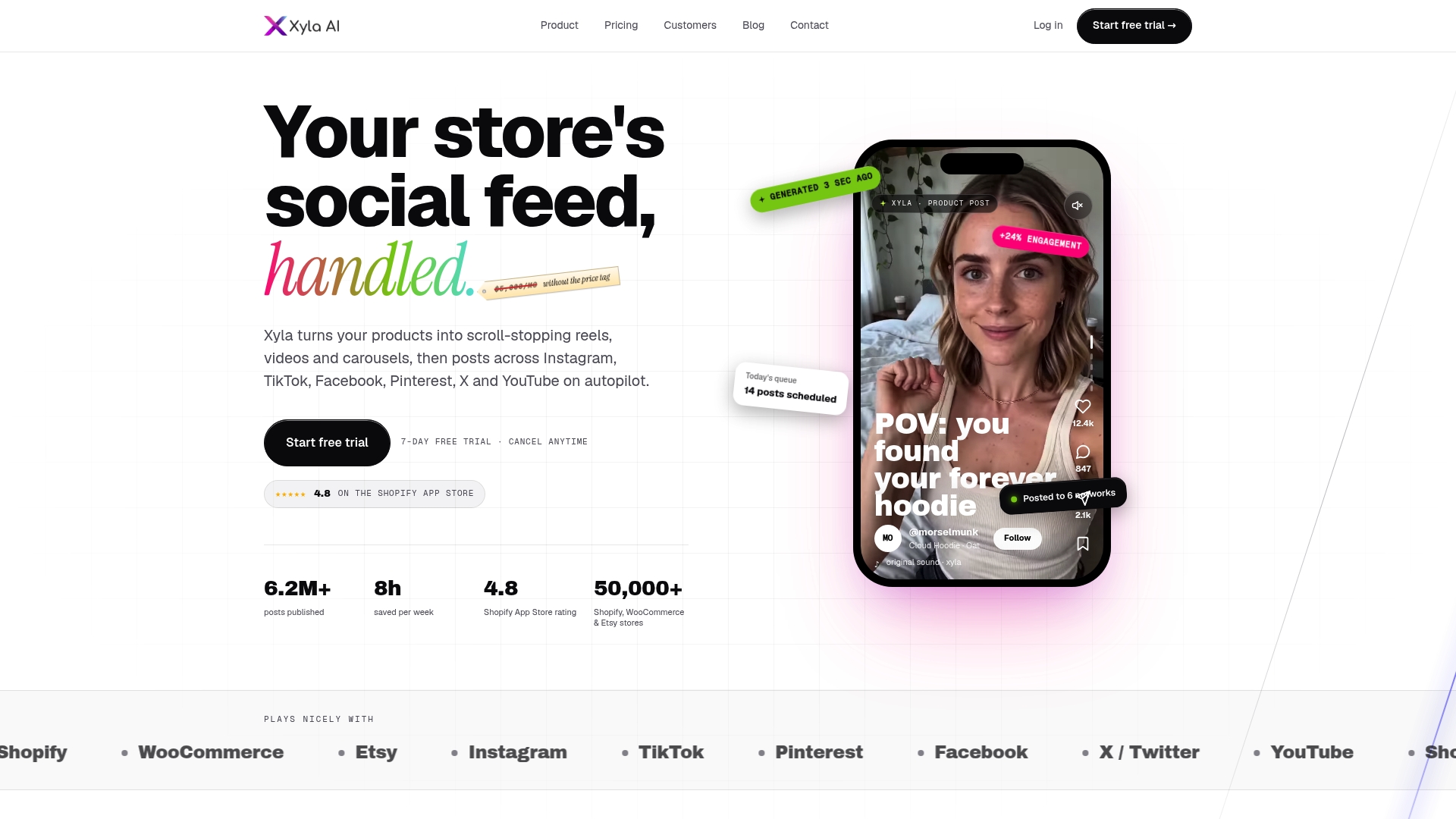
If you want to see the output first, look at how AI UGC video made from your products works, or how auto posting product updates goes from a new listing to a scheduled post.
Measuring whether it works
Shopify’s 2026 use-case guide advises tying KPIs to the function: click-through rate and cost per acquisition for marketing, response time for support, plus production time, accuracy, conversion rate and customer satisfaction. For a social pilot, a short scorecard is enough:
Measure What it tells you How to read it Posts published per week Whether consistency improved Compare to your four weeks before the pilot Hours spent on social Whether time was actually saved Log it honestly for both periods Click-through rate Whether content earns attention Compare formats: reel, carousel, static Orders from social traffic Whether attention became sales Use tagged links so orders can be traced Errors caught in review Whether your data and process are sound A falling count means cleaner source dataTagged links are what turn “we posted more” into “we sold more.” Our overview of UTM-first social commerce analytics explains how to set that up so each post’s orders can be traced.
Keep expectations realistic. The field study above shows that effects differ by workflow, from nothing detectable to double digits. Judge your own numbers over several weeks, not a single post.
FAQ
What is generative AI in ecommerce?
It is AI that creates new content, such as product descriptions, images, videos, social posts and support replies, from prompts and your business data. Traditional AI mainly analyzes information and makes predictions. Most stores use the generative kind for content because it saves the most time.
How is generative AI used in ecommerce social media?
It turns product listings into posts: reels, carousels, videos and captions sized for each network. It can also schedule and publish them. With Xyla, this runs from your Shopify, WooCommerce or Etsy catalog, so a new listing can become social content without a separate design step.
Do I need a developer or a big budget to use it?
No. Ready-made platforms handle the technical side, and BCG’s guidance suggests that buying external solutions avoids maintenance and obsolescence costs unless you hold substantial proprietary data. Xyla plans start from $29 per month, and the full list is on the pricing page.
Is AI-generated content safe to publish as is?
Read everything before it goes out. Models can state false facts, and AI output generally lacks U.S. copyright protection. Check product claims, prices and promotions against your store, and keep your logo and core brand assets human-made.
How do I know if it is working?
Track posts per week, hours spent, click-through rate and orders from tagged social links over a four-week pilot. Compare against the four weeks before. Expand only what the numbers support.
Sources
- Generative AI Ecommerce: Incorporating it Into Your Strategy, BigCommerce
- Generative AI and Retail: Beyond the Skateboarding Panda, Bain
- Generative AI in Ecommerce: Where AI Fits, BigCommerce
- Top use cases for AI in Ecommerce, IBM
- The AI for Ecommerce Blueprint, Marketing AI Institute
- Generative AI and Firm Productivity: Field Experiments, arXiv
- Online Retailer Survey 2025, Swiss Retail Federation
- When AI Guides the Shopping Journey, IAB
- The Pragmatist’s Guide to GenAI in E-Commerce, BCG
- Generative AI in eCommerce: What It Does and Where It Fails, Omniconvert
- Using Generative AI in Europe? How to Mitigate Legal Risks, The Fashion Law
- AI-Driven Retail: Managing Cyber, Operational and Reputation Risk, Aon
- You don’t have to choose between AI speed and security, Algolia
- Deception at Scale: Deceptive Designs in LLM-Generated Web Components, arXiv
- How to build a brand online with AI-driven strategies


