

Ecommerce Stores: Music for Product Videos That Won’t Break Ads
Use short, royalty-free instrumental tracks that are explicitly cleared for commercial and ad use. Match the tempo and mood to your video type, grab stems if you’re layering a voiceover, and always verify the license terms before you publish anything on a paid channel. Start by browsing a reputable licensed library rather than a generic free download site.
TL;DR:
- Subscription libraries are ideal for regular advertisers needing volume licensing and protection against copyright claims.
- Using free libraries without verifying commercial rights risks copyright disputes during paid social media campaigns.
- Matching music to the video type—such as background support for demos or dynamic builds for launches—ensures a professional look.
- Licensing terms must include platform-specific rights, territorial coverage, and indemnification to avoid campaign disruptions.
- Automating video creation and music licensing with AI tools like Xyla benefits high-frequency content producers managing multiple daily posts.
Table of Contents
- Where to Find Music for Product Videos That’s Actually Safe to Use
- How to Choose Music by Product Video Type
- Music Licensing Essentials You Can’t Skip
- Editing Pro Tips: Stems, Tempo, and Loudness
- Why Picking the Track Early Changes the Whole Edit
- A Faster Route: Letting Xyla Handle Video and Music Together
- Sources
Where to Find Music for Product Videos That’s Actually Safe to Use
Not every “free music” site is safe for a business account, and the gap between “free to download” and “free to run as a paid ad” trips up more store owners than anything else in video production. There are really four categories of sources, and each one fits a different budget and risk tolerance.
Subscription libraries are the workhorse choice for anyone running ads regularly. Platforms like Epidemic Sound build catalogs specifically cleared for advertising, with a single license covering export to major editing software and indemnification if a track gets flagged. You pay a monthly or annual fee and get unlimited downloads, which makes sense once you’re publishing more than a couple of videos a month. Soundstripe takes a similar approach, offering a catalog north of 116,000 tracks with pre-built stems and cut-downs designed to move from TikTok to broadcast television without a rights headache.
Pay-per-track marketplaces work better for occasional users. If you’re launching one product a quarter and don’t want a recurring bill, buying a single license for a specific track can cost less over a year than a subscription, though you’ll pay more per use if your output picks up.
Free libraries and community sites are where the real risk lives. Plenty of free-music platforms grant personal or non-commercial use only, and running one of those tracks in a paid Facebook or Instagram ad can trigger a copyright claim mid-campaign. Licensed catalogs exist precisely because free sources often can’t guarantee the global rights and indemnification that a paid campaign needs. If you use a free source, read the license line by line, not just the FAQ page.
AI music generators are the newest entrant. Tools like Mubert generate short-form tracks, some as brief as 15 seconds, marketed as “monetization-ready.” That’s useful for quick social content, but check the dataset and license terms before you scale a campaign on generated audio. AI-generated tracks aren’t automatically risk-free just because no human composer is credited.
- Subscription libraries: best for frequent publishers who need volume and indemnification
- Single-track marketplaces: best for occasional, one-off projects
- Free libraries: usable only after manually confirming commercial rights
- AI generators: fast and cheap, but license terms vary by provider
How to Choose Music by Product Video Type
Different video formats need different musical personalities, and using the wrong one is one of the fastest ways to make a product look cheap even when the footage is great.
- Product demos call for supportive, lower-melody instrumentals that stay in the background. The goal is to keep attention on the feature you’re showing, not the song, so avoid anything with a vocal hook or a dramatic swell that competes with your narration.
- Unboxing videos benefit from playful or anticipatory tracks with room to breathe. Build in a dynamic shift, quiet during the setup, a small lift at the reveal, so the music does some of the emotional work the camera can’t.
- Launch videos are where cinematic builds earn their keep. Time a crescendo to land exactly when the product appears on screen; a track that peaks two seconds early or late undercuts the whole moment.
- Short social ads need a hook fast. TunePocket recommends percussion-forward tracks with a distinct two to four second hook that survives a 15 to 30 second cut, because that hook is what makes a scrolling viewer stop.
- Voiceover and review-style videos should lean on instrumental versions or stems, kept low in the mix, so the narration stays intelligible. A busy arrangement under a voiceover is the single most common way creators sabotage their own audio.
Recognizing which category your video falls into before you start browsing a library will cut your search time in half. Trying to pick a track first and force the video to match it almost always backfires.
Music Licensing Essentials You Can’t Skip
“Royalty-free” does not mean “copyright-free,” and mixing up those two terms is the single most common licensing mistake creators make. Royalty-free means you’ve licensed the right to use a track repeatedly without paying an ongoing royalty. The composer or the library still holds the copyright, which is why copyright-free music is genuinely rare, not the default you should assume.
Before you attach any track to a paid campaign, confirm the license covers these points:
- Commercial and advertising use, not just personal or editorial use
- The specific platforms you’ll publish on, including paid social, YouTube ads, and broadcast if relevant
- Territorial coverage matching every country your ad will run in
- Indemnification, meaning the provider will defend or reimburse you if a claim surfaces
- Whether the license survives if you cancel your subscription later
Indemnification and territory coverage are consistently the two features that matter most to marketers running campaigns across multiple markets, and it’s easy to see why. A track cleared for use in one country but not another can force you to pull an ad mid-run, and a provider without indemnification leaves you exposed if a claim comes in during a live campaign. If you need to repurpose a track heavily, ask the provider for stems or a pre-cut version rather than editing the master file yourself; most licensed libraries offer both. For a clearer breakdown of how commercial rights differ from editorial-only rights, this licensing guide walks through the distinction in plain terms.
Editing Pro Tips: Stems, Tempo, and Loudness
Stems (the separated instrument and vocal tracks that make up a song) are often the single biggest time-saver for anyone mixing voiceover with music, since they let you drop the lead melody or busy low end without remixing anything from scratch.
- Pull the stem, not the full mix, whenever a voiceover needs to sit on top
- Try a half-time or double-time edit to shift a track’s energy without switching songs entirely
- Ask your library for a 15 or 30 second cut-down that keeps the hook intact
- Normalize final exports to roughly -14 LUFS for social platforms, and resist the urge to overcompress
- Save your license screenshot or receipt in the same project folder as the raw files
Pro Tip: Build a small personal library of five or six pre-cleared tracks with stems and cut-downs already exported. Once it exists, soundtracking a new product video becomes a fifteen-minute task instead of an afternoon.
Why Picking the Track Early Changes the Whole Edit
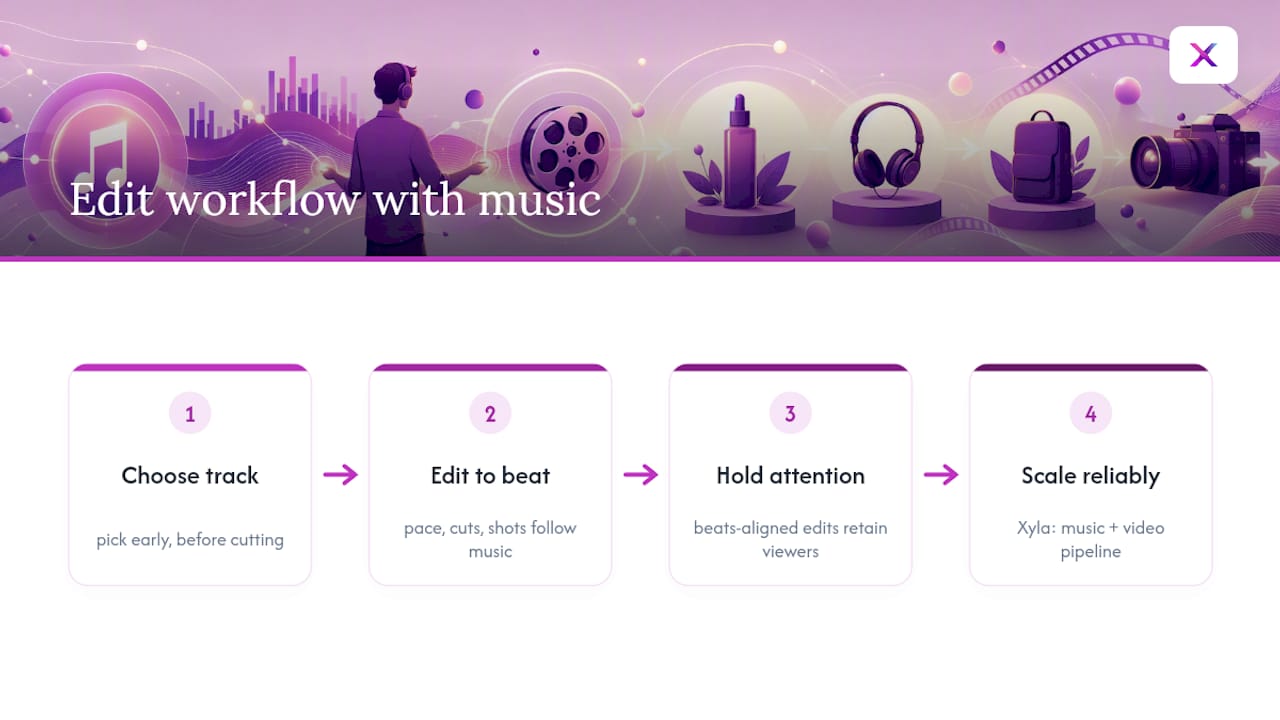
Most people treat music as decoration, something they bolt on after the cut is locked. That’s backwards. Pace, cut timing, and even shot selection should bend around the track once you know what it is, not the other way around. Choosing early forces you to edit to the beat, and edits that hit on the beat consistently hold attention longer than ones that don’t.
For store owners producing videos on a near-weekly cadence, hand-picking and re-licensing a track every single time is where the process usually breaks down. That’s the exact gap a workflow like Xyla is built to close, generating the video and handling the music inside the same pipeline instead of treating them as two separate jobs.
— Toby
A Faster Route: Letting Xyla Handle Video and Music Together
Everything above assumes you’re hand-picking tracks from a library and syncing them yourself, which works fine when you’re producing one or two videos a month. It gets a lot harder once you’re posting several times a week across Instagram, TikTok, and Facebook and re-licensing music for every single clip.

Xyla AI turns your existing product listings into ready-to-post videos, reels, and carousels, and adds music inside that same automated workflow rather than leaving you to source and sync a track by hand. If you’re already comfortable browsing a music library and editing your own cuts, stick with that for one-off launch videos where you want full creative control. But if you’re publishing product content on a weekly rhythm across Shopify, WooCommerce, or Etsy, automating the video and posting pipeline saves the hours you’d otherwise spend hunting for tracks and re-checking licenses every time. Connect your store and generate a sample video to see how the music comes out before you commit to anything.
Sources
- Background Music for Advertising | Best Music for Ads | Epidemic Sound
- Royalty Free Music for Video, Film, TV & Ads | Soundstripe
- Music For Product Videos - TunePocket Royalty Free Music Library
- Royalty-free vs copyright-free explanation | No Film School


