

Etsy Social Media Marketing: What Actually Drives Sales
For most Etsy sellers, the winning move is simple: prioritize Pinterest plus one discovery platform, either TikTok or Instagram, and use every post to push high-intent traffic to a specific listing. That’s the whole game. Etsy’s own Seller Handbook confirms that external traffic converting into clicks, favorites, and purchases directly improves a listing’s Listing Quality Score, which is what actually moves you up in Etsy search. Social media isn’t a vanity project. It’s a traffic pump feeding Etsy’s own algorithm.
Start here:
- Pick one primary platform based on your product type and comfort level.
- Create multiple content variations per listing with different angles, captions, and hooks.
- Capture email addresses from your social audience so you’re not fully dependent on any single platform.
Key Takeaways
Etsy social media marketing works when social platforms drive high-intent traffic that converts into clicks, favorites, and sales, which directly raises a listing’s Listing Quality Score.
Point Details Choose one primary platform Match Pinterest, TikTok, Instagram, or Facebook to your product type and run a real 90-day test. Link straight to listings Send every post to the specific product page, not the shop homepage, to cut friction. Match visuals to thumbnails Keep your social image consistent with your Etsy listing photo so buyers recognize the product instantly. Post sustainably, not constantly Three to five Pinterest pins and two to four short videos weekly beats daily posting that burns you out. Automate the repetitive work Xyla AI converts existing Etsy listings into platform-ready content and schedules it automatically, saving sellers around eight hours a week.Table of Contents
- Etsy Social Media Marketing by Platform: Where to Spend Your Time
- What Kind of Content Should You Post on Social Media for an Etsy Shop?
- How Often Should You Post to Promote Your Etsy Shop?
- How to Optimize Etsy Listings for Social Media Traffic
- How Do You Build an Audience That Actually Buys From Your Etsy Shop?
- Which Social Media Metrics Actually Matter for Etsy Sellers?
- Where Automation Fits Into an Etsy Seller’s Social Strategy
- What Should Etsy Sellers Actually Prioritize First?
- Automate the Parts of Etsy Social Media Marketing That Eat Your Week
- Sources
Etsy Social Media Marketing by Platform: Where to Spend Your Time
Not every platform deserves equal attention, and treating them all the same is how sellers burn out in six weeks. Match the platform to your product.
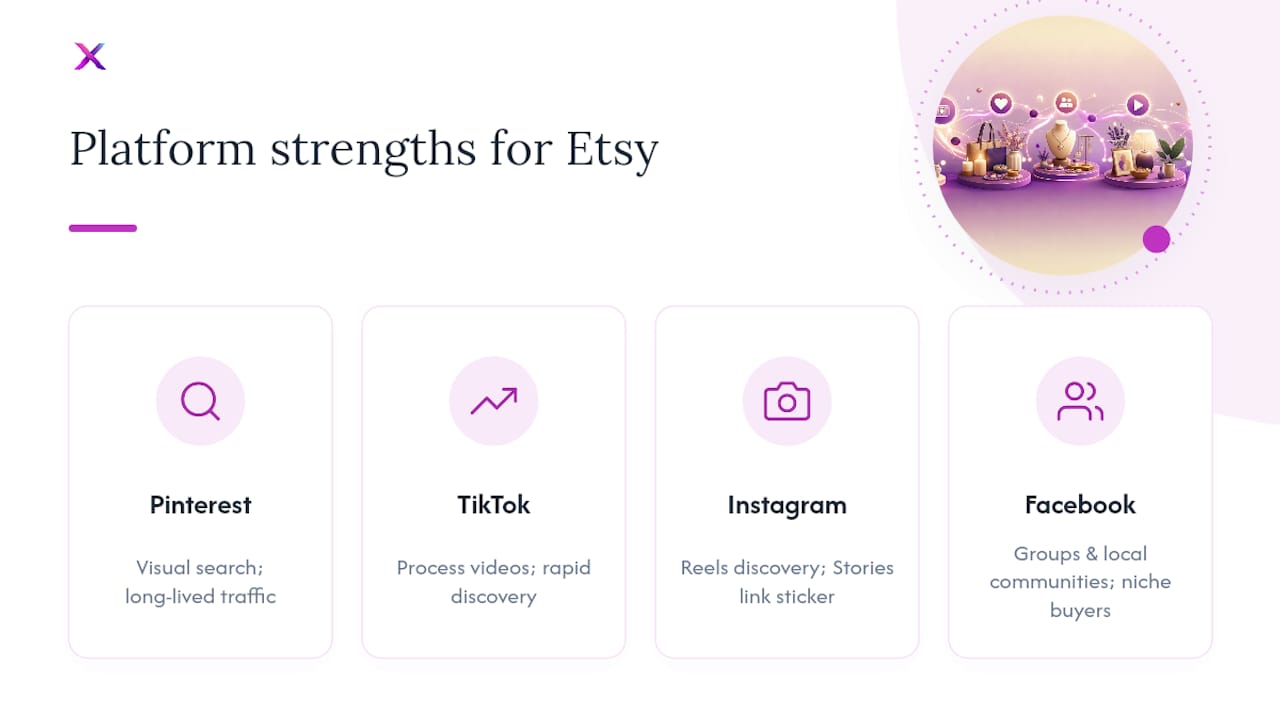
Pinterest works like a visual search engine, not a social feed. A pin you make today can still drive Etsy shop traffic two years from now, which makes it the best long-term investment for gift items, home decor, jewelry, and printables. Upload multiple pin variations per listing (different image crops, different text overlays) and write keyworded descriptions the way you’d write an Etsy title. Don’t just pin once and move on.
TikTok rewards process content and personality. If you’re comfortable talking on camera or can script a 15-second demo, TikTok’s discovery algorithm can put a brand-new shop in front of thousands of strangers overnight. It’s the best fit for makers who enjoy showing their hands at work.

Instagram splits into three jobs: Reels for discovery, Stories for relationship-building, and a curated grid for trust once someone actually checks out your profile. Use the Link sticker in Stories to send warm viewers straight to a listing instead of hoping they find your bio link.
Facebook earns its keep in niche groups and local communities, particularly for sellers in wedding, craft-supply, or regional-gift categories where buyers actively search groups for recommendations.
Pro Tip: If you only have time for one platform, choose Pinterest for physical products with broad gift appeal and TikTok for anything visually satisfying to watch being made.
What Kind of Content Should You Post on Social Media for an Etsy Shop?
You don’t need twenty content ideas. You need four or five that repeat well.
- Process and making videos. Etsy’s own guidance on visual storytelling points to behind-the-scenes footage as one of the fastest ways to turn a casual scroller into a buyer.
- Packaging and unboxing clips. These sell the experience, not just the product.
- Before-and-after transformations. Especially strong for custom or personalized items.
- Customer reaction clips, with permission, showing real people opening real orders.
Keep Reels and TikToks short and loopable, typically under half a minute. Build multi-image Pinterest pins rather than single static images. On carousels, put your strongest image first since most people never swipe past slide one. Repurpose a single video across all three platforms, adjusting captions and hashtags for each, and lean on niche hashtags over broad ones. A visual storytelling framework helps you keep that authenticity consistent post after post.
Pro Tip: Film one process video a week and cut it into five different pieces of content. That’s a month of posting from a single afternoon of filming.

How Often Should You Post to Promote Your Etsy Shop?
Consistency beats volume. A solo seller posting three solid Pinterest pins and two Reels a week for three months will outperform someone who posts daily for ten days and quits. Sustainable cadences consistently outperform high-frequency bursts that lead to burnout.
- Pinterest: several pins per week, including repins of older content with new text overlays.
- Instagram/TikTok: a few short videos per week.
- Facebook groups: occasional genuine, non-salesy posts.
Batch-create a month of content in a single sitting, then use a scheduling tool to publish it over time. Reuse strong-performing images and captions rather than reinventing every post. Commit to a sufficient test period before judging any platform. That’s long enough to see real traffic patterns and short enough to pivot if a channel clearly isn’t converting.
How to Optimize Etsy Listings for Social Media Traffic
Sending traffic to your shop homepage instead of a specific listing wastes most of the click. Link directly to the exact product every single time, whether it’s a caption link, a Story link sticker, or a Pinterest pin destination.
Match your social visuals to your actual Etsy thumbnail. If someone sees a bright, styled photo on Instagram and lands on a dark, cluttered listing photo, you lose them in the confusion between the two images.
- Use Etsy’s Share & Save tool from Shop Manager to track where clicks come from and to save on transaction fees on qualifying sales.
- Only run Etsy Ads on listings that already convert well organically. Ads amplify strong listings; they don’t rescue weak ones.
Converting social clicks into favorites and purchases is what pushes your Listing Quality Score upward, not the raw traffic number alone.
How Do You Build an Audience That Actually Buys From Your Etsy Shop?
Followers are worthless if they never buy. Engagement is how you turn a follower into a repeat customer and, eventually, into someone who searches your shop name directly on Etsy, which is one of the strongest trust signals a listing can get.
- Post low-effort Stories daily: a question sticker, a poll, or a “which color should I make next?” prompt.
- Swap audiences with a micro-influencer or another small maker in a complementary niche.
- Capture email addresses through a simple landing page or link-in-bio form, since owning that channel protects you from any single platform’s algorithm changes.
Small, frequent touches build familiarity faster than occasional big campaigns.
Which Social Media Metrics Actually Matter for Etsy Sellers?
Check Shop Manager’s traffic sources weekly and look at conversion rate per source, not just visit counts. A platform sending fewer visitors who actually favorite and buy beats one sending a flood of clicks that bounce immediately.
- Track visits, favorites, and orders by traffic source inside Shop Manager.
- Scale a platform only when conversion improves, not just when traffic spikes.
- Route more traffic through email or a simple landing page to cut bounce and protect the audience you’ve built outside Etsy.
A tool like an engagement rate calculator can help you benchmark whether a platform’s engagement is actually healthy before you commit more hours to it.
Where Automation Fits Into an Etsy Seller’s Social Strategy
Running Pinterest, TikTok, and Instagram well, on top of actually making the product, is a lot for one person. Xyla AI is built for e-commerce sellers on Shopify, WooCommerce, and Etsy, turning existing product listings into ready-to-post reels, carousels, and pins automatically.
- Saves store owners roughly eight hours a week on content creation and posting.
- Auto-generates platform-sized variations, solving the pin-variation and cross-network resizing work manually.
- Schedules and publishes across networks so batching becomes a one-time setup instead of a weekly chore.
What Should Etsy Sellers Actually Prioritize First?
Pick one primary channel and commit to a genuine 90-day test before you judge it. Switching platforms every three weeks because last week’s post underperformed is the single most common way sellers waste effort with nothing to show for it.
If you’re short on time, which almost every solo seller is, prioritize the tasks that directly touch conversion: matching your listing thumbnail to your social visuals and linking straight to the product. Everything else, from posting frequency to caption style, matters less than those two habits.
— Toby
Automate the Parts of Etsy Social Media Marketing That Eat Your Week
Everything covered here, process videos, pin variations, cross-platform resizing, a sustainable posting calendar, takes real hours every week to execute by hand. Xyla AI is the shortcut for Etsy sellers who want that output without becoming a full-time content producer: it turns your existing listings into reels, carousels, and pins automatically, then schedules them across Instagram, TikTok, Facebook, and Pinterest.

Instead of spending a weekend batching content, you set it up once and let it run. That’s the same 5 to 10 content variations per listing this guide recommends, generated for you instead of built one image at a time. If you want to see exactly how the automation replaces your manual workflow, walk through how to automate your social media marketing and start a trial to test it against your own shop’s listings.
Sources
- How external traffic and marketing affect shop performance — Etsy Seller Handbook
- The Ultimate Guide to Social Media Marketing — Etsy Seller Handbook
- How to Set Up and Manage an Etsy Ads Campaign — Etsy Help
- Etsy Shop Marketing Guide — Merch Titans


